


Sign In / Sign Up To Add Wishlist
Wishlist is available for members only. Please sign in or sign up to add your wishlist.
Choosing the Best Brother Printer or Multifunction Printer for Small Offices
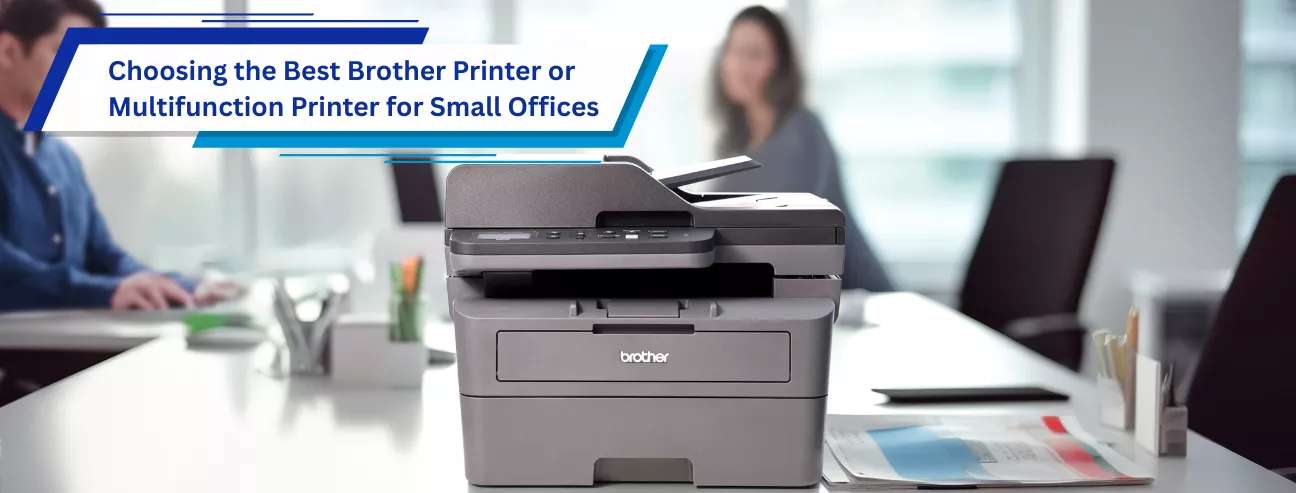

For a small office, the right printer is less about fancy features and more about compatibility, reliability, speed, and long-term cost. Brother printers are widely used in small and medium businesses because they focus on exactly those priorities: durable hardware, affordable consumables, and straightforward business features. Whether you need simple document printing or an all-in-one device, choosing the right office printer starts with understanding how your office works.
Printer or Multifunction Printer: Start with the Basics
If your office only prints documents and rarely scans or copies, a dedicated printer is usually the most cost-effective choice. Brother’s HL-L Series laser printers, such as the HL-L3280CDW Colour LED Printer or HL-L5210DN Mono Laser Printer, are popular for this role. They are fast, compact, and designed for consistent output, making them ideal for admin heavy offices or small teams that print daily but don’t need extra functions.
If scanning and copying are part of your daily workflow, a multifunction printer is the better option. Brother’s DCP and MFC series combine several devices into one, saving space and reducing clutter. The DCP-L3560DW 3 in 1 Multifunction Colour LED Printer is a common choice for offices that need print, scan, and copy without fax, while the MFC-L2885DW 4 in 1 Multifunction Mono Laser Printer or MFC-L8390CDW 4 in 1 Multifunction Colour LED Printer add fax and more advanced document handling for growing teams.
Inkjet or Laser: Match the Technology to Your Work
For offices that print mostly text documents such as invoices, contracts, and reports, laser printers are usually the best fit. Brother’s mono laser models are fast, quiet, and highly economical over time. Toner cartridges generally last longer than ink cartridges, and Brother mono laser printers’ cost per page (CPP) are especially low thanks to support for high yield toner cartridges, making them ideal for high volume environments. Models like the Brother MFC-L6915DW 4 in 1 Multifunction Mono Laser Printer are well suited to shared office use and can comfortably handle thousands of pages per month with consistent performance.
Inkjet printers make sense for small offices that need affordable colour printing and print lower to medium volumes. Brother’s Refill Ink Tank Series, such as the DCP-T730DW 3 in 1 Multifunction Colour Refill Ink Tank Printer or MFC-T930DW 4 in 1 Multifunction Colour Refill Ink Tank Printer, are designed specifically to reduce printing costs, offering high page yields compared to traditional cartridge inkjet printers. These models work well for offices producing presentations, charts, or marketing materials without high running cost.
Print Volume Matters More Than You Think
One of the most common mistakes small offices make is buying a printer designed for home use. Brother clearly differentiates its business models based on recommended monthly print volumes. For teams printing under 1,000 pages a month, compact models like the DCP-L2640DW 3 in 1 Multifunction Mono Laser Printer or DCP-J1360DW 3 in 1 Multifunction Colour Inkjet Printer are sufficient. For offices printing closer to 2,000–3,000 pages a month should look at higher level multifunction laser models with faster print speed and automatic duplex printing, such as the MFC-L5710DW 4 in 1 Multifunction Mono Laser Printer or MFC-L8900DW 4 in 1 Multifunction Colour Laser Printer.
An under-spec printer will wear out faster and cost more in maintenance and replacements; choosing a printer that matches your actual workload improves reliability and reduces downtime.
Features That Actually Improve Office Productivity
Automatic duplex printing is one feature every small office should prioritise. It reduces paper use and makes professional documents easier to manage. Most Brother business printers include this as standard. An automatic document feeder (ADF) is equally important if you scan multipage documents regularly. Models like the Brother MFC-L8390CDW 4 in 1 Multifunction Colour LED Printer include a robust ADF that saves significant time when handling large volume contracts or reports.
Network connectivity is another must-have. Brother printers typically support Ethernet, Wi Fi, and mobile printing, allowing teams to share one device easily. For offices handling sensitive documents, higher end Brother multifunction models such as MFC-L9630CDN 4 in 1 Multifunction Colour Laser Printer (Wi-Fi Version also available) offer secure print and NFC features, ensuring documents are only released when the user is present.
Running Costs: Where Brother Really Stands Out
While purchase price matters, long-term running costs matter more. Brother’s high yield toner and ink systems are a key reason many small businesses standardise on the brand. Laser models use long lasting toner and separate drum units, keeping replacement costs predictable and minimize waste. Refill Ink Tank models dramatically reduce ink replacement frequency and lower printing cost, which is especially helpful for small offices managing tight budgets.
Sustainability and Business Value
Using sustainable products can also strengthen a company’s brand and compliance posture. Brother’s high yield toner, ink cartridge and refill ink tank systems, recyclable consumables, and reduced plastic packaging support waste reduction while helping businesses meet internal ESG goals or external client requirements. Initiatives such as Brother Earth align with global sustainability standards, allowing small offices to operate responsibly while enhancing credibility with customers, partners, and employees.
Brother’s commitment to sustainability goes beyond environmental responsibility and delivers practical benefits for small businesses. Through its Global Environmental Vision 2050, Brother focuses on reducing CO₂ emissions, improving energy efficiency, and designing long-life, low waste products. For offices, this means printers that consume less power, last longer, and require fewer replacements—directly lowering operating and maintenance costs.
Final Thoughts
The best Brother printer for your small office depends on how much you print, whether you need colour, and how often you scan or copy. For most traditional offices, a Brother Multifunctional Mono Laser Printer offers the strongest overall value. For offices that need affordable colour printing, Brother provide options such as the Refill Ink Tank Series and Colour Laser Series. By matching the printer to your actual needs instead of on price alone, you’ll end up with a faster, more reliable setup that supports your team as it grows.

Brother MPS: Reduce Costs and Improve Resource Efficiency
As operating costs continue to rise, talent resources become increasingly constrained, and digital transformation accelerates, more businesses in Hong Kong are reassessing how effectively their office resources are being utilized. While companies often focus on expenses such as rent, staffing, and IT infrastructure, printing management is another area that can generate significant yet frequently overlooked costs.

Brother Hong Kong Genuine Products: Why official channels give you more than a lower price
When choosing a printer, label printer, sewing machine or consumables, many customers compare prices across different channels. A common question is: “Is it really worth buying through Brother Hong Kong official channels?”
In fact, buying through official channels is not just about the product itself. It also means local support, genuine quality and after-sales protection designed for the Hong Kong market. The advantages below can help you make a more confident choice.
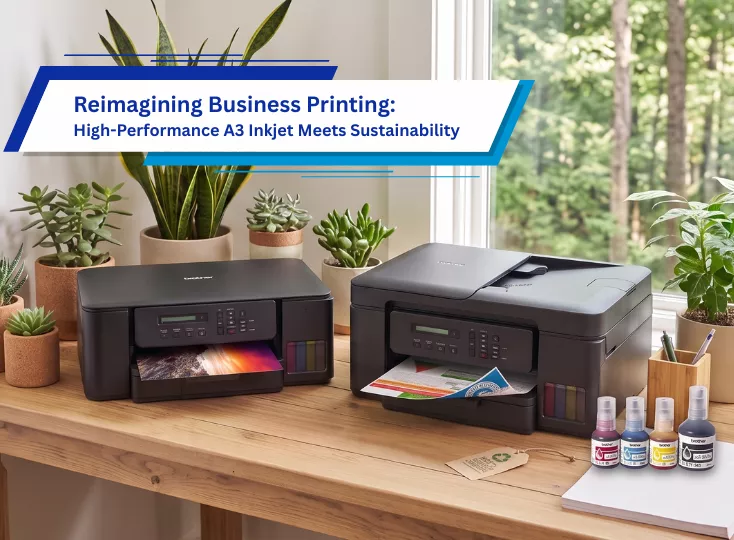
Printing Smarter for a Greener Future | Brother Ink Tank
In today's world, sustainability is no longer just a corporate goal—it has become a shared responsibility for businesses, families, students, and home office users alike. While printing remains an essential part of daily life, the environmental impact of traditional printing solutions is often overlooked.

Subscribe for Blog update