Sign In / Sign Up To Add Wishlist
Wishlist is available for members only. Please sign in or sign up to add your wishlist.
How to Register Warranty
Step 1
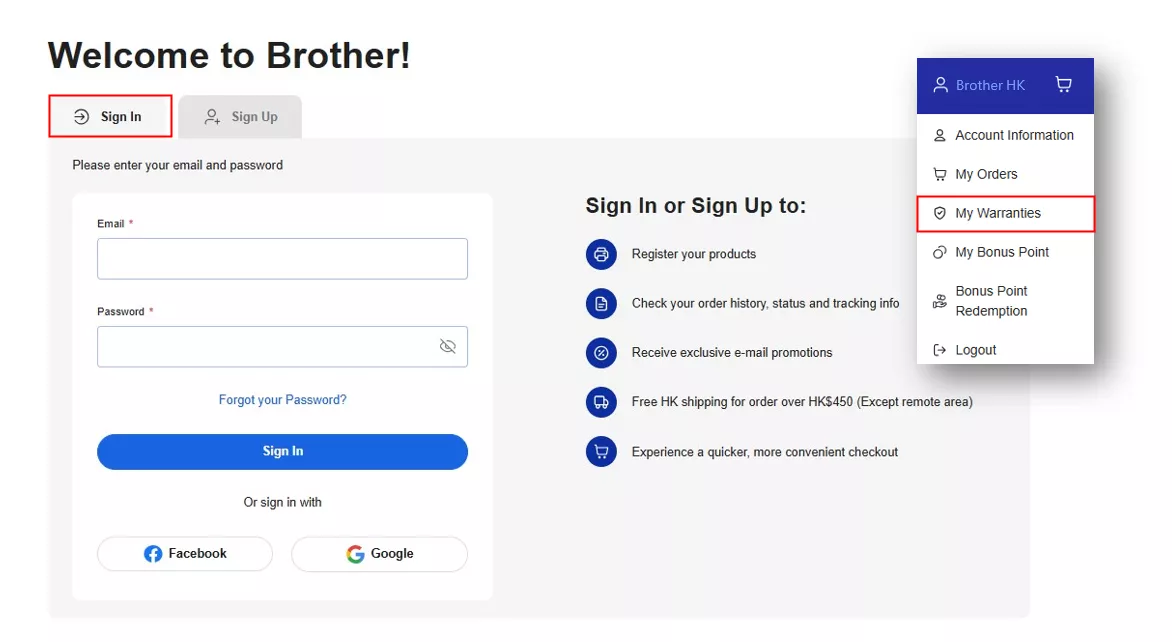
Register your product warranty using your Brothership member account between the 8th and 30th day after purchase (inclusive).
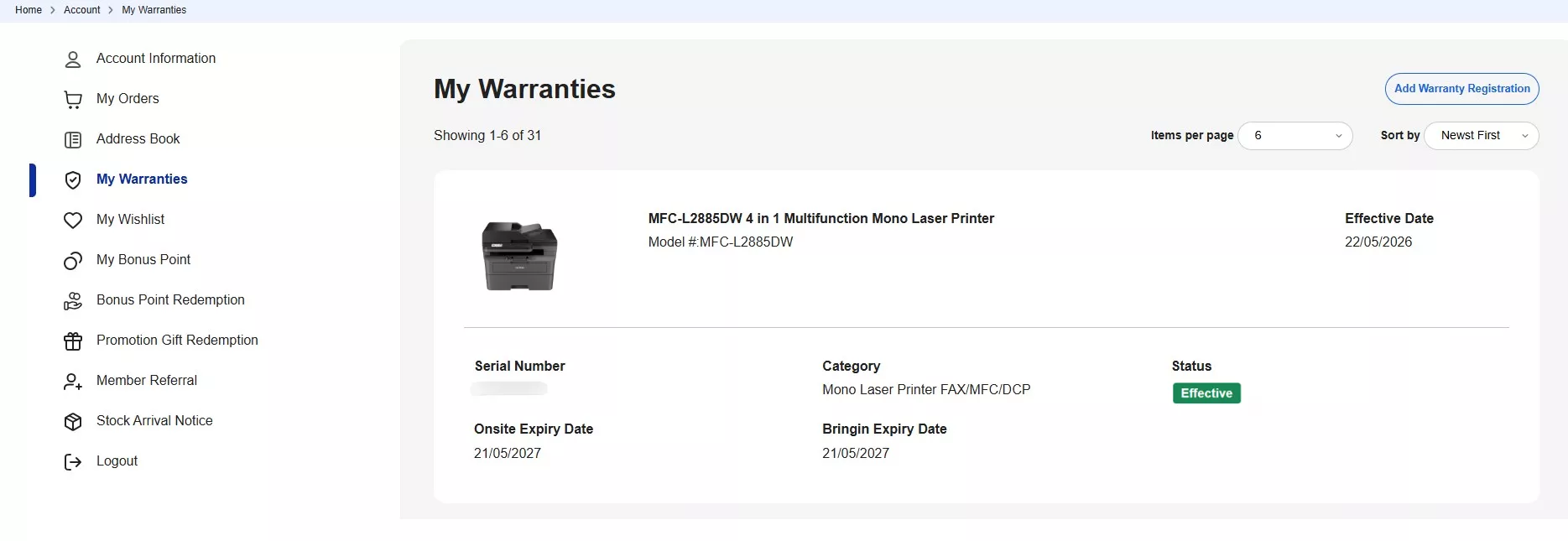
Go to "My Warranties" and click "Add Warranty Registration", or use the registration link below:
https://www.brother.com.hk/en/warranty/registration
If you are not yet a Brothership member, please register or login first: https://www.brother.com.hk/en/account/login
Step 2
After logging in, complete the product information form. Fields marked with * are mandatory.
Once all required information has been entered, click "Submit".
Remarks:
- If your purchased model is eligible for a free warranty upgrade or extension, please allow 3 working days for the system to be updated.
- If you purchased from the Brother eShop using Guest Checkout (without logging in to an account), please select "Purchase from Authorized Seller" and enter "Brother eShop" in the Purchase Shop Name field.
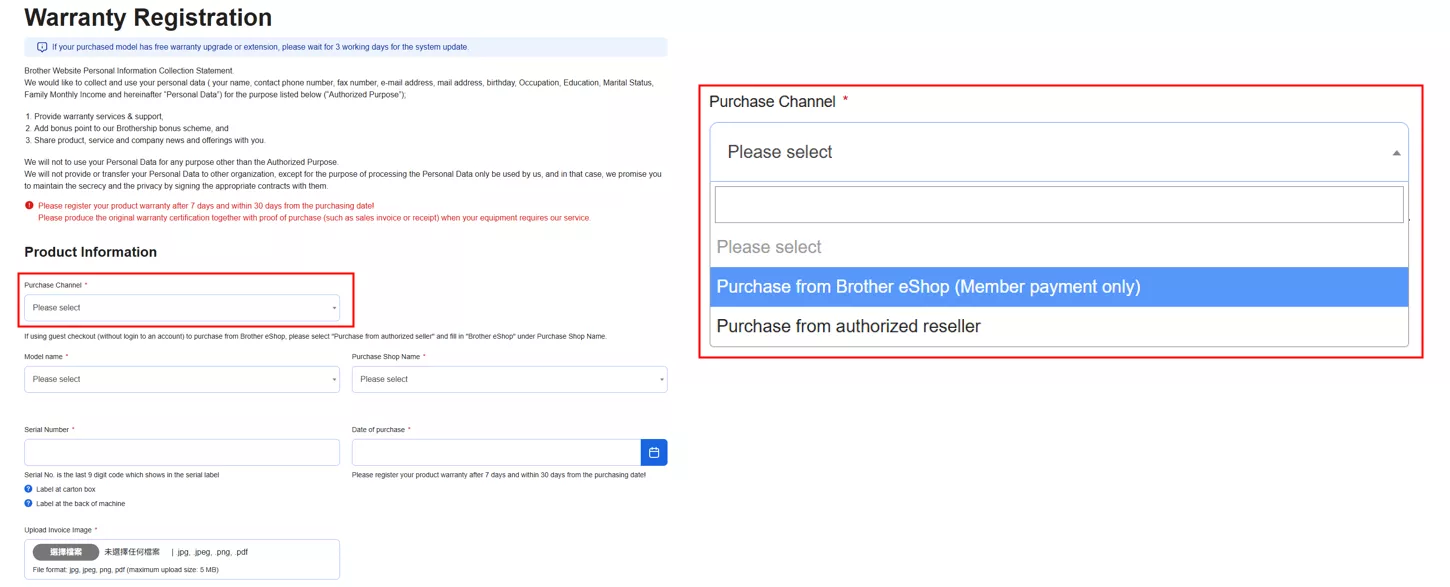
- The serial number is usually located on the barcode sticker attached to the product packaging. The valid serial number is the last 9 characters shown on the barcode sticker.

- Please retain your proof of purchase (invoice or receipt) for future warranty service or maintenance purposes.
Step 3
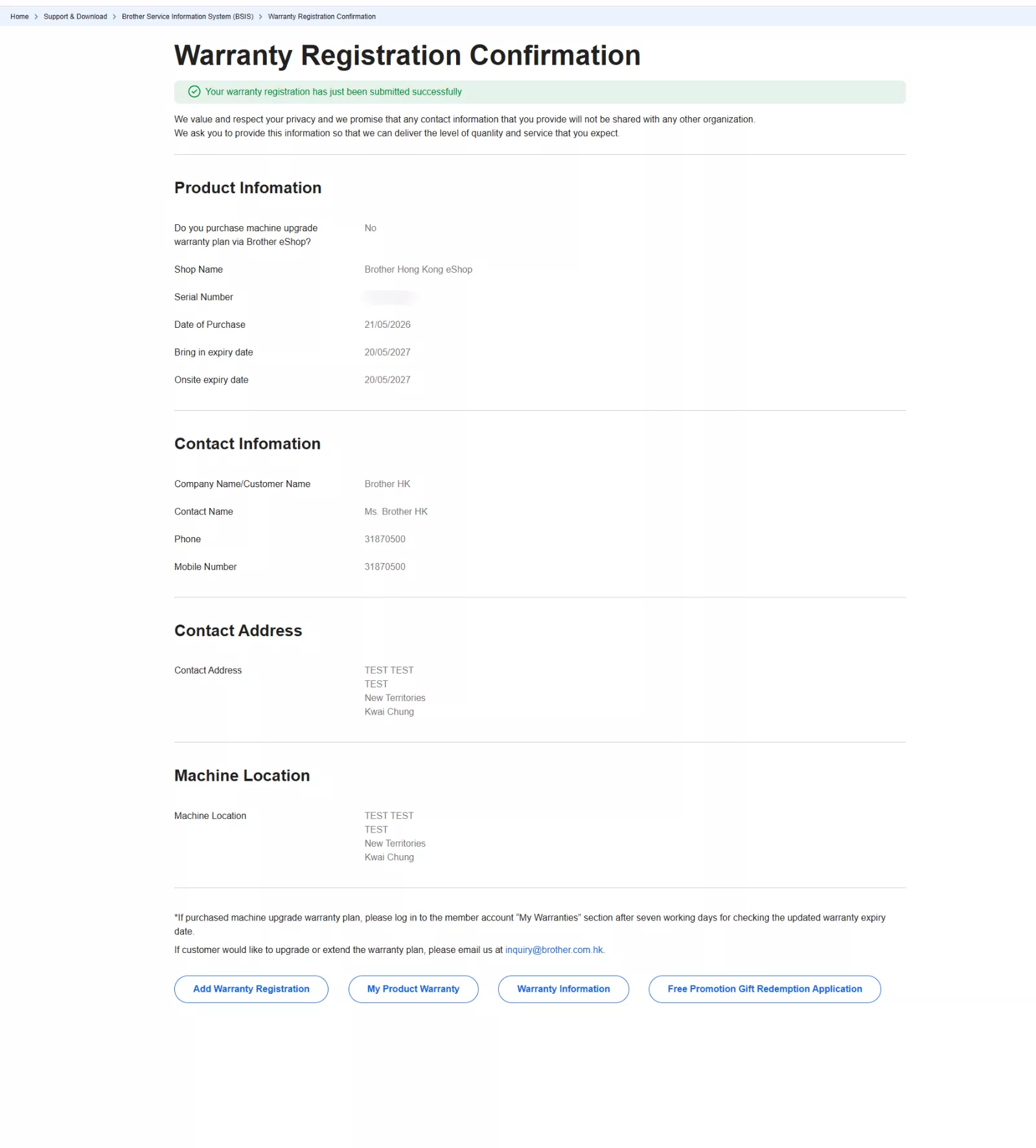
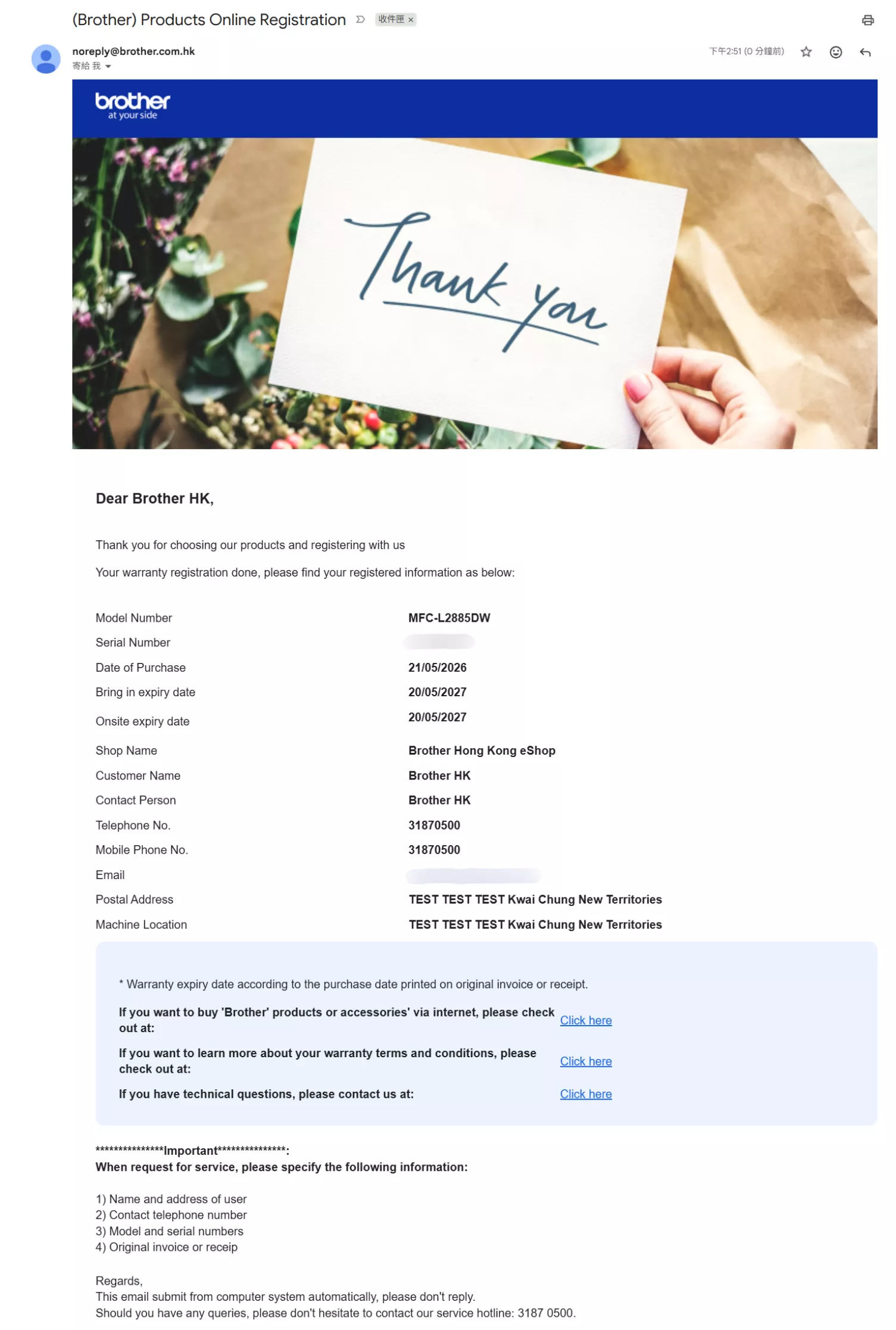
After submitting the form, a warranty registration confirmation page will be displayed. You will also receive a confirmation email acknowledging that your warranty registration has been successfully submitted and received.
Step 4
To track your warranty or repair status,
please go to “My Warranty” & or Repair Status Tracking page https://www.brother.com.hk/en/support/warranty_information